
Notch Pocket vs NotchOwl
Facts checked
NotchOwl is a day planner in the notch; Notch Pocket is a toolbox. NotchOwl keeps tasks, today's calendar, focus timers, a daily notepad and copied items one hover away, and lets AI tools like Claude Code manage your tasks. Notch Pocket covers tasks and timers too, then adds music, a file shelf, file conversion, weather, system stats and Screen Time.
At a glance
| Notch Pocket | NotchOwl | |
|---|---|---|
| Price | $19.99 one-time ($8.99 for the first 50 customers) | $12 one-time |
| Subscription | No | No |
| Macs per license | 1 | Up to 3 |
| Refunds | 3-day money-back guarantee | 7-day money-back guarantee |
| macOS | 14 Sonoma or later | 14 or later |
| Apple silicon / Intel | Both | Apple silicon only |
| Macs without a notch | Yes | Yes |
Features side by side
"Not listed" means NotchOwl's website doesn't mention the feature, not that it's definitely missing.
| Feature | Notch Pocket | NotchOwl |
|---|---|---|
| To-dos | Yes | Yes, with optional two-way Reminders sync |
| Timers and focus sessions | Yes | Countdown and stopwatch focus timers |
| Calendar | Yes, with Google Calendar sync | Next two weeks from Apple Calendar, read-only |
| Notes | Yes | Daily notepad |
| Clipboard history | Yes | "Clips": screenshots and copied items |
| Alerts in the notch | Live timers and focus sessions | Reminder and meeting alerts |
| AI tools | Tracks Claude Code usage and limits | Claude Code, Claude and Cursor can manage tasks and the timer |
| Music and now playing | Yes | Not listed |
| File shelf and AirDrop | Yes | Not listed |
| File conversion | Images and PDFs | Not listed |
| Weather | Yes | Not listed |
| System stats and Screen Time | Yes | Not listed |
| Replaces volume and brightness overlays | Yes | Not listed |
Why Notch Pocket
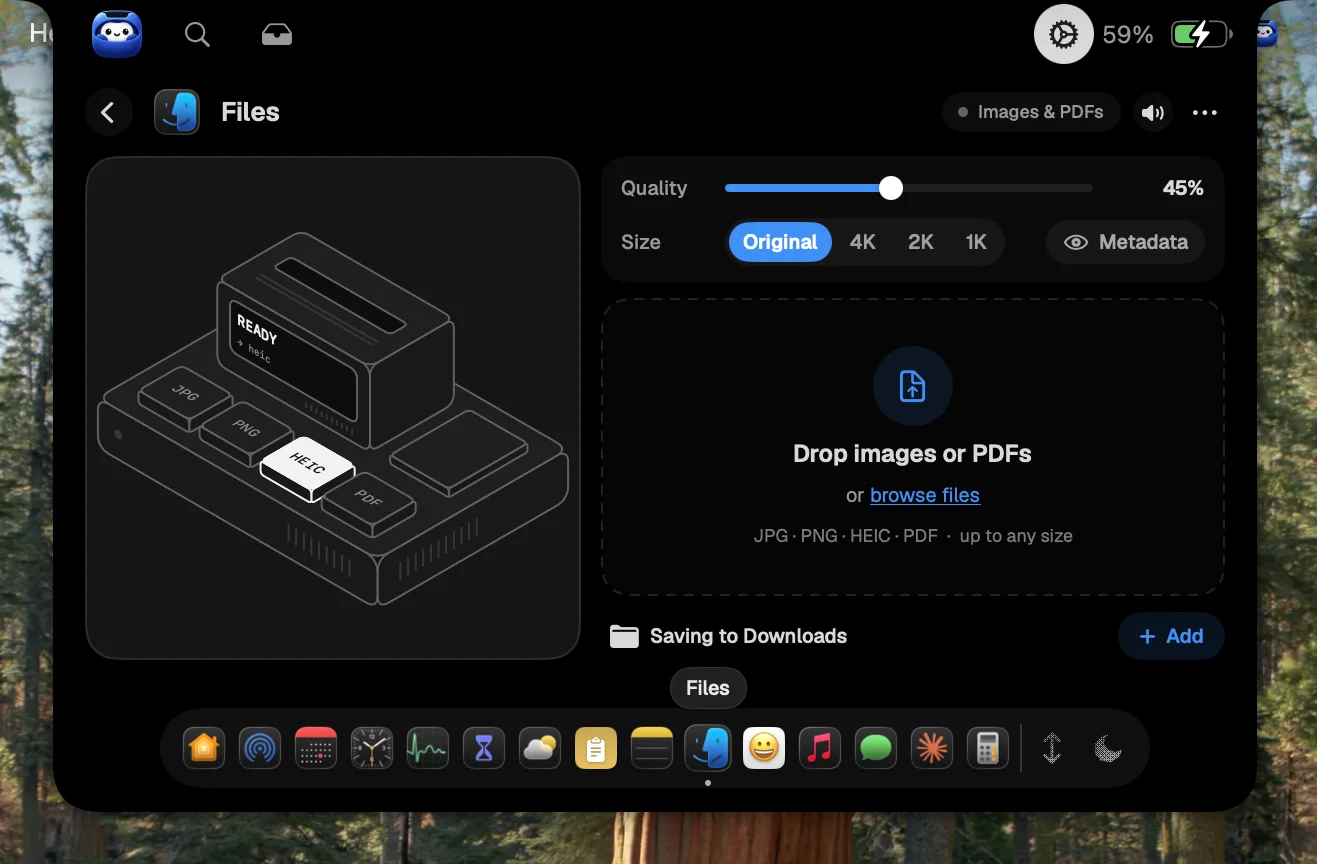
Files in Notch Pocket: drop images and PDFs on the notch to convert them.
- It does far more than planning: music, a file shelf with AirDrop, file conversion, weather, system stats, Screen Time and more.
- It runs on Intel Macs. NotchOwl's current download is for Apple silicon only.
- It replaces the volume and brightness overlays with notch versions.
Live system stats, right in the notch.
Why NotchOwl
- Planning your day: Reminders sync, voice task entry and a "plan your day" and "wrap up" routine.
- AI tools can act on it. Claude Code, the Claude app or Cursor can add tasks and run the timer.
- Cheaper, and covers three Macs, with a 7-day money-back guarantee.
Which should you pick?
Pick Notch Pocket if you want planning plus music, files, weather and system info in the same place, including on an Intel Mac. Pick NotchOwl if the notch is mainly for planning your day and you want AI tools to manage your task list.
Sources
Notch Pocket details are from this site and its FAQ. NotchOwl details are from its official website, checked November 14, 2026. Prices and features change, so check each site before you buy.