Your notch,
turned into a  pocket.
Hover over the notch and it opens into your tasks, timers, clipboard, files and notes. Everything you reach for, without leaving the window you’re in.
macOS 14 Sonoma or later · Apple Silicon & Intel · One-time purchase, no subscription
Switch tools without switching windows.
Every screen lives in the dock at the bottom of the notch. Pick one below to see it in action.
What's playing, what's next and today's tasks, plus a thought for the day.
Keeps working when the notch is closed.
Running timers and focus sessions sit right beside the notch, so a glance is all it takes.
Timers that stay in view
Every running timer cycles beside the notch with its own colour and progress bar. No window to dig for.
Give any task a time limit
Set a timer on a to-do and the countdown stays next to the notch until you're done.
The notch, finally pulling its weight.
Convert files, bring back anything you copied, post a status and see where your day went, all from the one strip of screen you never used.
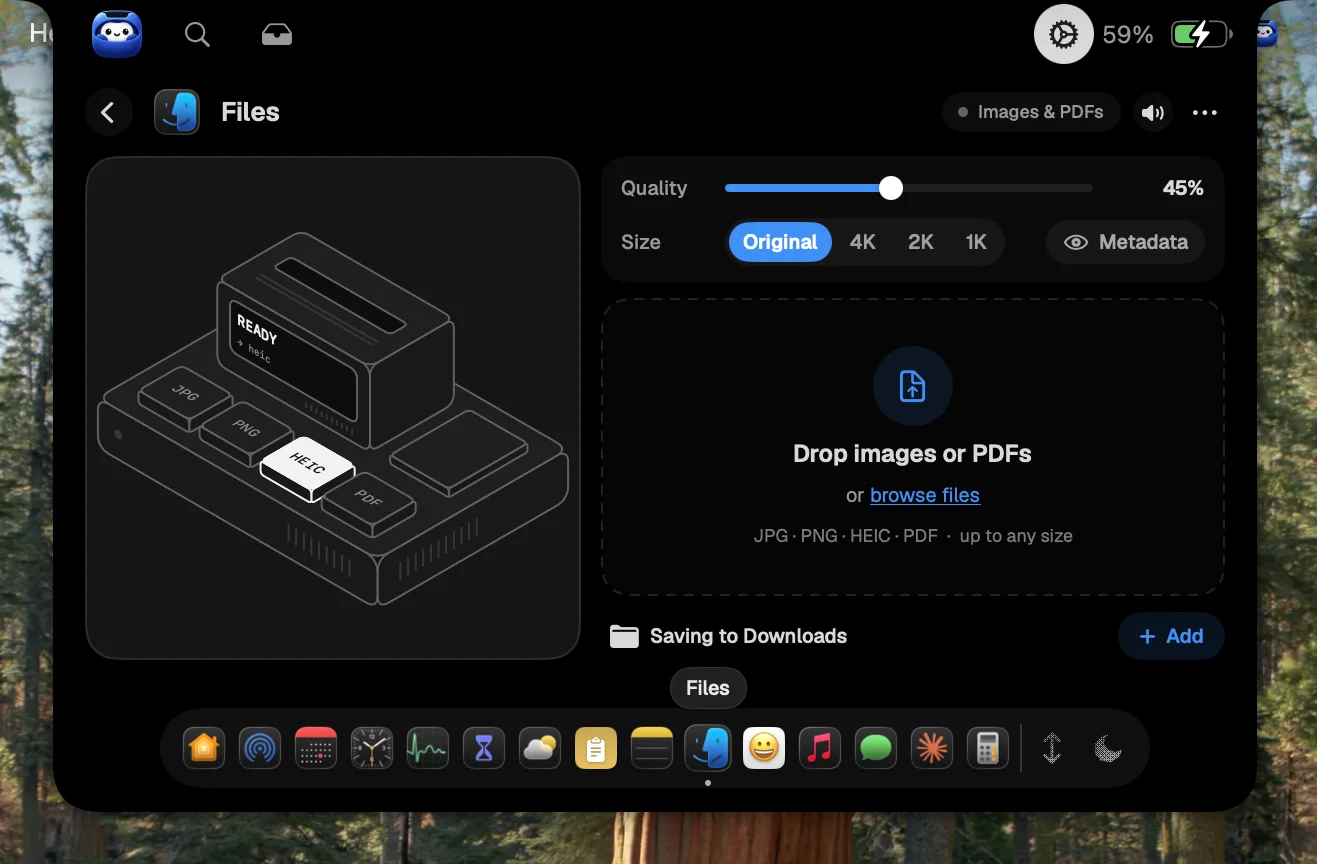
Convert files in the notch
Drop images or PDFs on the notch to convert them between JPG, PNG, HEIC and PDF. Pick the quality and size, and they land in Downloads.
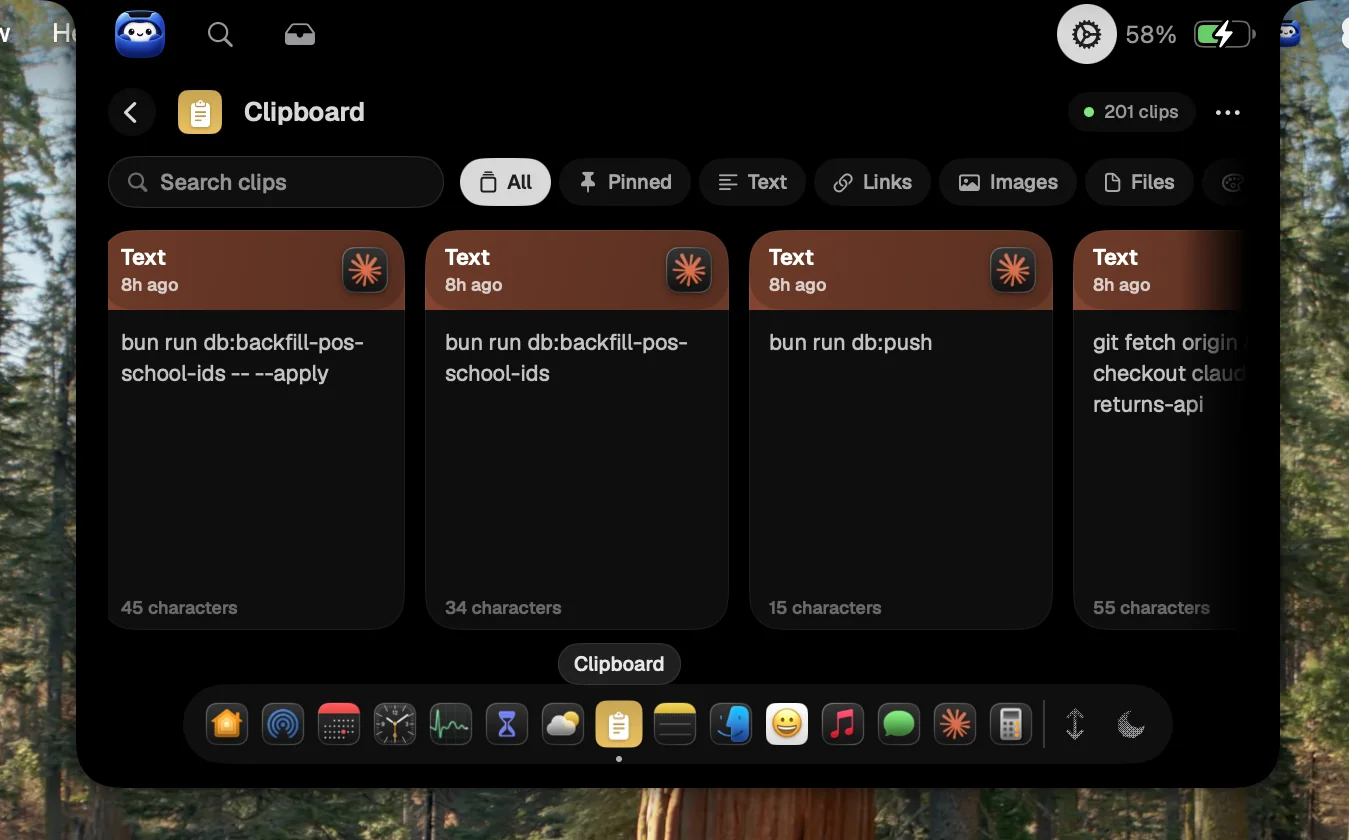
A clipboard that remembers
Text, links, colours, images and files. Everything you copy, ready to paste again.
Put a message on it
Scroll an LED message across your notch. Perfect for “On a call” or “Back in 5”.
See where your day goes
Screen Time breaks your day down by app and by category, with daily and weekly views.
Fifteen tools. One hover.
Each one lives in the notch's dock. Keep the ones you use and hide the rest.
Home
What's playing, what's next and today's tasks, plus a thought for the day.
To-dos & Focus
Check off tasks and start a focus timer on any of them in one click.
Timers
Run several timers at once. They stay on screen even with the notch closed.
Calendar
Your week, upcoming events and reminders, with Google Calendar sync.
Weather
Conditions now, an hourly strip and the 10-day forecast.
Stats
Live CPU, memory, network, disk and battery health.
Screen Time
See where your day goes, by app and by category.
Clipboard
Everything you've copied: text, links, colours, images and files.
Files
Drop files on the notch to convert images and PDFs, or AirDrop them on.
Notes
Quick notes with word counts and a writing streak.
Units
Convert length, weight, temperature, data, currency and more.
Emoji
Search every emoji and copy it in one click.
Message
Scroll an LED message across your notch, like “On a call 📞”.
Claude
Track tokens, prompts, spend and session limits for Claude Code.
Sounds
Rain, waves, fireplace and noise. Mix your own focus soundscape.
Pay once. Keep it forever.
No subscription. One license, one Mac, every tool.
Lifetime license
Early bird · first 50 customersOne-time payment per Mac, then $19.99 once the early-bird spots are gone.
- Lifetime license for one Mac
- All fifteen tools, nothing locked
- Free updates, installed automatically
- Move it to a new Mac anytime
- Key delivered instantly by email
Requires macOS 14 Sonoma or later · Prices in USD, taxes calculated at checkout
Questions, answered.
Put your notch to work.
Install Notch Pocket, paste your license key and hover over the notch. That’s the whole setup.
Requires macOS 14 Sonoma or later