
Notch Pocket vs Boring Notch
Facts checked
Boring Notch is free and open source; Notch Pocket is a paid app with more built in. Boring Notch covers music controls, a file shelf with AirDrop, calendar and a replacement for the macOS volume and brightness overlays. Notch Pocket adds to-dos, timers, clipboard history, file conversion, notes, weather, system stats and Screen Time, in a signed, notarized app.
At a glance
| Notch Pocket | Boring Notch | |
|---|---|---|
| Price | $19.99 one-time ($8.99 for the first 50 customers) | Free |
| Source code | Closed | Open source (GPL-3.0) |
| Install | Notarized DMG, opens normally | Unsigned build: needs a Terminal step, or install with Homebrew |
| Updates | Installed automatically | From GitHub releases or Homebrew |
| macOS | 14 Sonoma or later | 14 Sonoma or later |
| Apple silicon / Intel | Both | Both |
Features side by side
"Not listed" means Boring Notch's README doesn't mention the feature as shipped. Some, like weather, are on its roadmap.
| Feature | Notch Pocket | Boring Notch |
|---|---|---|
| Music and now playing | Yes | Yes |
| File shelf | Yes | Yes |
| AirDrop from the notch | Yes | Yes |
| Calendar | Yes | Yes |
| Replaces volume and brightness overlays | Yes | Yes |
| File conversion | Images and PDFs | Not listed |
| Clipboard history | Yes | Not listed |
| To-dos | Yes | Not listed |
| Timers and focus sessions | Yes | Not listed |
| Weather | Yes | On the roadmap |
| Notes | Yes | Not listed |
| System stats (CPU, memory, battery) | Yes | Not listed |
| Screen Time | Yes | Not listed |
| Live activities beside the closed notch | Yes (timers and focus) | On the roadmap |
| Macs without a notch | Yes | Not listed |
Why Notch Pocket
Clipboard history in Notch Pocket, one of the tools Boring Notch doesn't list.
- Many more tools: to-dos, timers, clipboard history, file conversion, notes, weather, system stats, Screen Time and more.
- A normal install. The app is signed and notarized, so there's no Terminal step or security warning, and updates install themselves.
- Live timers stay visible beside the closed notch.
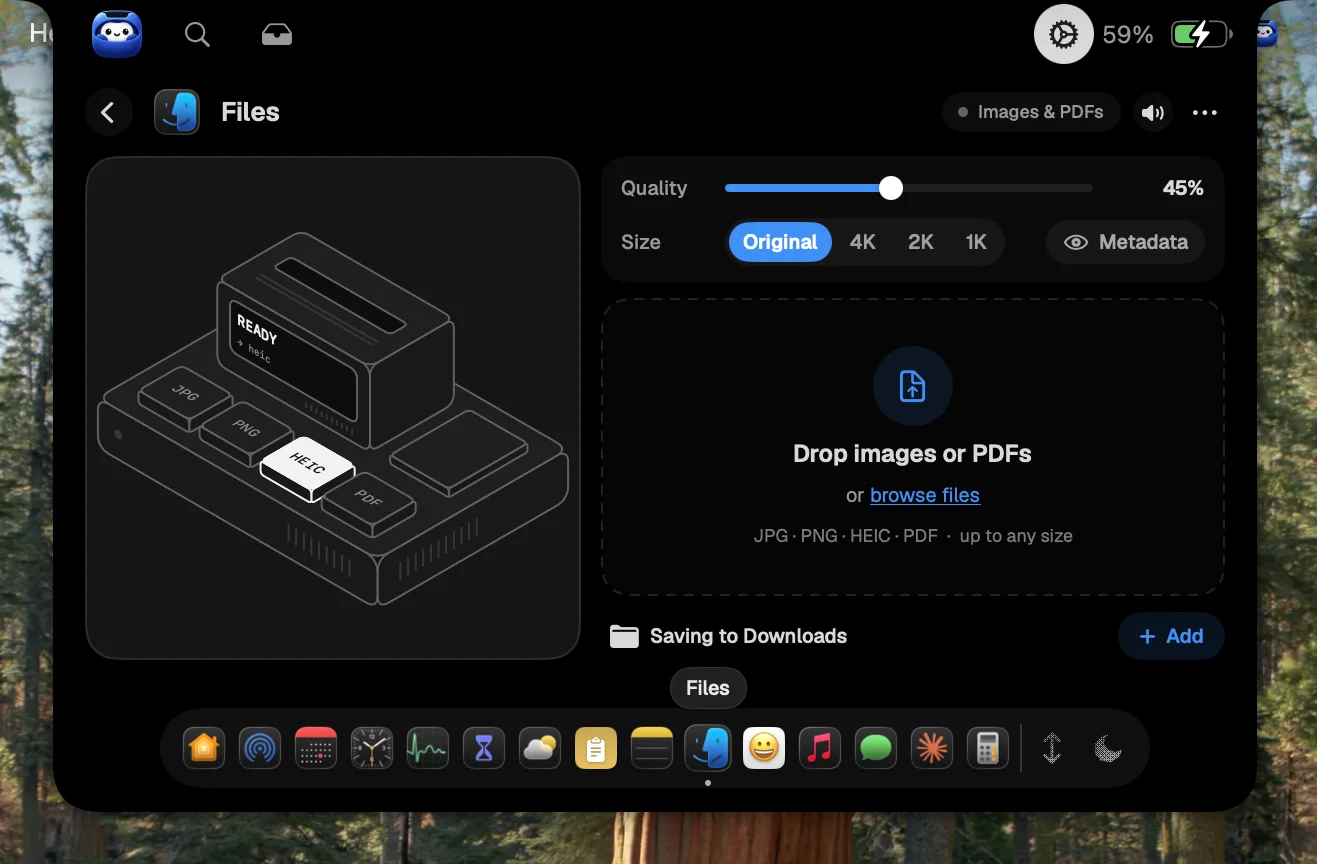
Drop images and PDFs on the notch to convert them between JPG, PNG, HEIC and PDF.
Why Boring Notch
- It's free.
- It's open source, so you can read the code, build it yourself or contribute. It has a large community on GitHub.
Which should you pick?
Pick Notch Pocket if you want the notch to replace a handful of separate utilities, with a standard install and automatic updates. Pick Boring Notch if you mainly want music controls, a file shelf and nicer volume overlays, and you're happy to install an unsigned open-source app.
Sources
Notch Pocket details are from this site and its FAQ. Boring Notch details are from its GitHub README, checked November 14, 2026. Features change, so check each project before you choose.